
Best Tools for Creating Websites, Landing Pages, Courses, and Selling Digital Products
You’ve probably thought about this already. Build a website, create a simple page, maybe sell a course or digital product online without writing a single


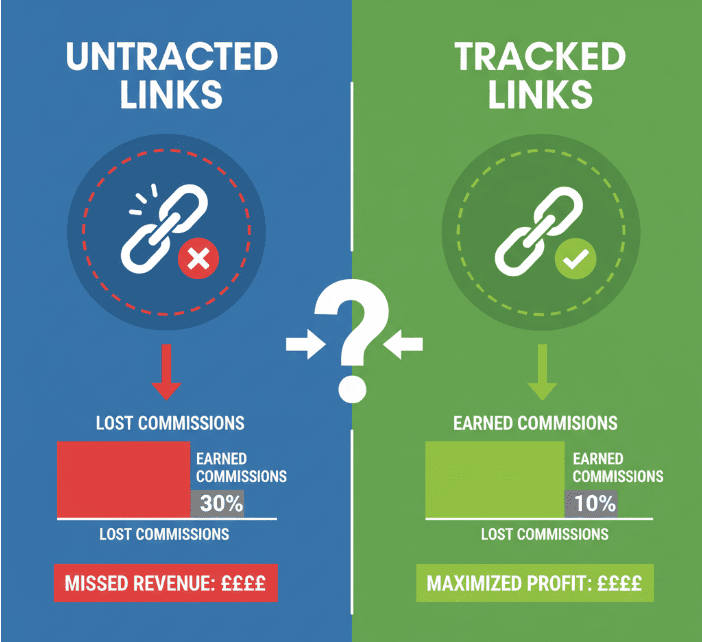
Without proper link tracking, you won’t know which blog post, email, or ad actually generated that commission notification in your inbox.
You can’t tell which traffic source is worth scaling, or which campaign is draining money without results. In short, you’re guessing instead of optimizing. This is where link tracking comes in.
By setting up tracking links, you can see exactly where your clicks and conversions come from. You’ll know which strategies work, which don’t, and how to allocate time and budget effectively.
Let’s break down why link tracking matters, how tracking links actually work, and how to set them up using a tool like ClickMagick.

Many beginners think affiliate marketing is all about signing up for a network and dropping links wherever they can.
But the truth is, affiliate marketing is a data-driven business. The affiliates who succeed long-term aren’t guessing; they’re tracking and analyzing every click.
Here’s why link tracking is so important:
Affiliate marketing without tracking is like trying to run ads without analytics. You may get clicks and even some sales, but you’ll never be able to optimize and scale effectively.
Before diving into tools, it’s worth understanding what a tracking link actually is. A tracking link is simply a unique URL that records information about the click.
When someone clicks the link, it doesn’t just send them to the affiliate offer; it also tells you where that click came from.
Components of a tracking link:
There are two main types of tracking setups:
The second option gives you far more visibility and control, which is why most serious affiliates eventually invest in a dedicated tracking tool.

You can technically add tracking parameters to affiliate links manually, but that quickly gets messy. A dedicated link tracking tool makes the process easier, more reliable, and powerful.
One of the most popular tools for affiliate marketers is ClickMagick. It works for beginners while offering advanced features for scaling campaigns.
Key features of ClickMagick include:
ClickMagick isn’t the only tool out there, but it strikes the right balance between ease of use and powerful analytics. If you’re serious about affiliate marketing, it’s worth starting here.

This way, every click is logged in your dashboard. You’ll know how many people clicked from each traffic source and whether those clicks converted into leads or sales.
For affiliates running multiple campaigns at once, using tracking links keeps your data organized.
You’ll never confuse whether a sale came from your Instagram bio or your newsletter, since your tracking links tell the story.
Once your links are live, the real magic begins: tracking results. Inside ClickMagick’s dashboard, you can see:
This data lets you evaluate campaigns objectively. Instead of “I think Facebook ads are working,” you can say, “Facebook ads generated 500 clicks and 20 sales at a 4% conversion rate.”
Many affiliates check their tracking dashboards daily or weekly, depending on campaign size. Consistent monitoring ensures you catch problems early, like a sudden drop in conversions or a broken link.

Link tracking is not just about collecting data; it’s about acting on it. Here’s how to optimize based on your tracking insights:
Optimization is an ongoing cycle: track, test, adjust, repeat. Over time, this process turns modest affiliate efforts into scalable income streams.
Affiliate marketing success isn’t about luck; it’s about numbers. Without link tracking, you’re on guesswork. With link tracking, you know which links make money and which ones waste time.
It’s simple: choose a tracking tool like ClickMagick, create unique tracking links for each campaign, add them to your content, monitor performance, and optimize based on the results.
Make tracking part of your daily workflow to see which strategies deserve your attention and which don’t. The result is higher conversions, better ROI, and more predictable affiliate income.
If you’re serious about affiliate marketing, don’t wait to start tracking. Set up your first tracking link today; you’ll never look at your campaigns the same way again.

You’ve probably thought about this already. Build a website, create a simple page, maybe sell a course or digital product online without writing a single

Most business owners look at their profit and loss statement only when tax season rolls around or when their accountant asks for it. I understand
If you run a business, people will look you up. They do it before they call. They do it before they buy. They do it