

That’s especially important if you promote affiliate products on social platforms. Here are some key benefits:
- Boosts click-through rates with clean and readable URLs.
- Blocks bots and competitors from spying on your traffic sources.
- Protects your affiliate earnings from getting stolen or bypassed.
- Helps you build trust and improve user experience.
ClickMagick makes link cloaking fast, easy, and secure for marketers. You don’t need coding skills or complicated software to get started.
In this guide, we will show how to use ClickMagick to cloak links. You’ll protect traffic, boost conversions, and track performance accurately.
Why Use ClickMagick’s Cloaking Feature
Cloaking your links gives you more control, better branding, and higher security. It’s easy to cloak links in just a few clicks with Clickmagick. Here’s why you should use Clickmagick:
Clean, Professional Links Build Trust
Long affiliate links often look suspicious or spammy. Cloaking replaces them with clean URLs that build trust. A good-looking link encourages more clicks and higher conversion rates.
Stop Commission Theft and Link Hijacking
Uncloaked links are easy targets for commission theft or link sniping. ClickMagick cloaks the URL to hide the destination and affiliate ID. So, your earnings are safe from shady tools and competitors.
Accurate Click Tracking and Analytics
ClickMagick tracks every click with real-time reports. You’ll know which traffic is converting and what’s wasting budget. It helps optimize campaigns faster and scale what works best.
Redirect Rules and Split Testing Built In
You can redirect links based on location or device type. Also, A/B test different offers through a single cloaked link. Thus, it’s easy to maximize conversions from every campaign.
ClickMagick combines link protection with smart marketing tools in one place. If you want clean links, accurate tracking, and strong security: use ClickMagick.

How to Set Up Link Cloaking in ClickMagick
Link cloaking in ClickMagick is simple and takes just a few minutes. It helps protect your links, track performance, and boost conversions.
Follow this easy step-by-step guide to get started right away.
Step 1: Log in to ClickMagick
Visit the ClickMagick website and log in to your account. Use your dashboard to manage links, campaigns, and tracking tools.
Step 2: Click “Links” in the Top Menu
On the dashboard, find the “Links” tab in the top menu. Click it to open the page where your tracking links live.
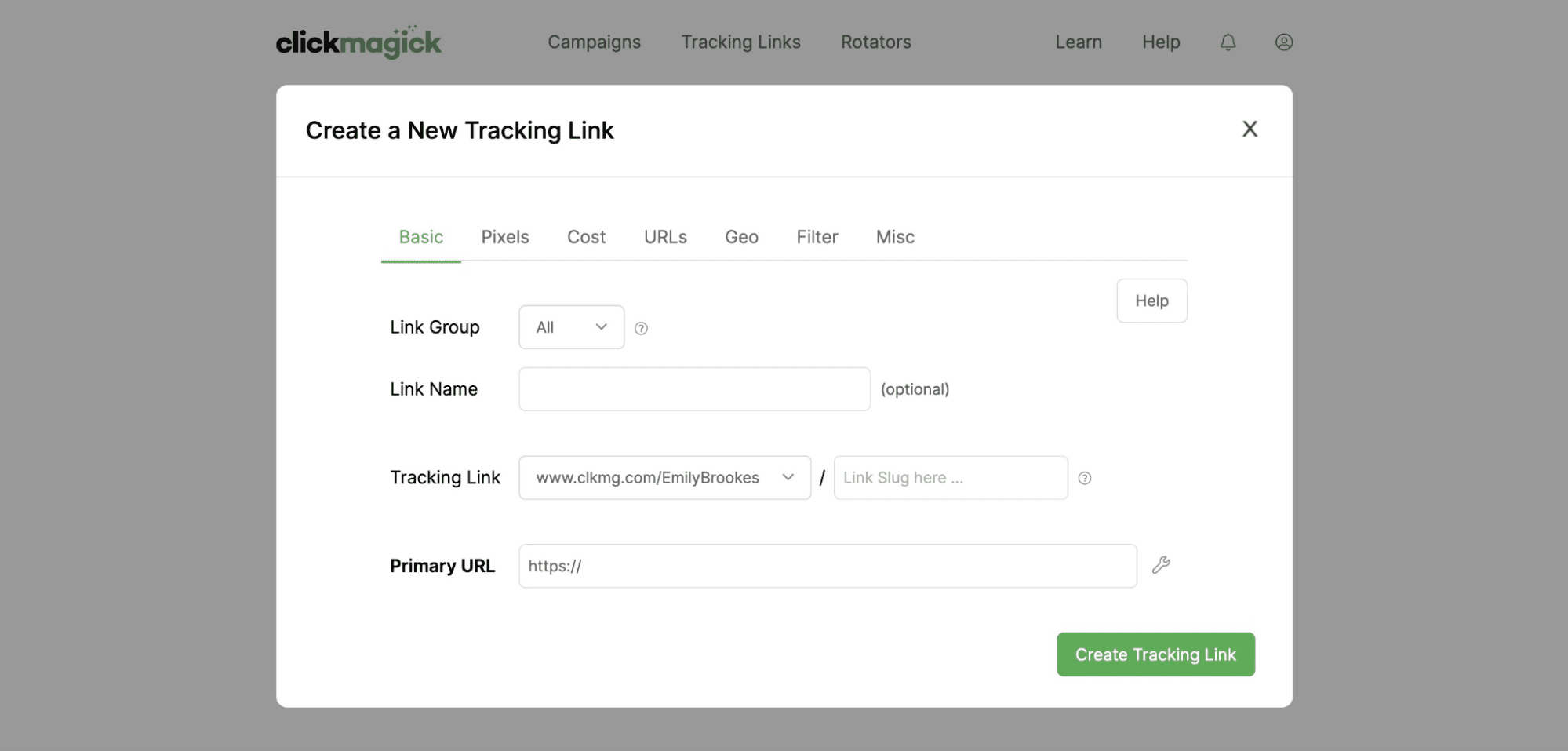
Step 3: Create a New Tracking Link
Click the green “Create New Link” button on the right side. A form will appear where you enter all your link details.
Step 4: Enter Your Primary URL
Paste your original link into the “Primary URL” field provided. This is the link people will be redirected to when they click.
Step 5: Customize the Link Slug
Pick a unique name or slug for your cloaked link URL. Make sure it’s clean, readable, and easy for users to trust.
Step 6: Enable Link Cloaking
Scroll down and find the “Cloaking” option in the settings. Check the box to enable link cloaking for this new link.
Step 7: Add Optional Tracking Tags
You can add UTM tags to track campaigns more effectively. Tags help you track traffic sources, ads, and conversions accurately.
Step 8: Save and Test the Link
Click “Create Link” to save and generate your cloaked link. Copy the new link and test it to ensure it works correctly.
Step 9: Use the Link in Your Campaigns
Add your cloaked link to emails, ads, or social posts. ClickMagick will now track clicks, conversions, and user behavior.
With just a few steps, you’re now cloaking like a pro. ClickMagick makes it fast, easy, and perfect for every marketer.
Best Practices for Using Cloaked Links
Cloaking links is helpful, but you need to use it wisely. Smart practices can improve trust, performance, and link click-through rates.
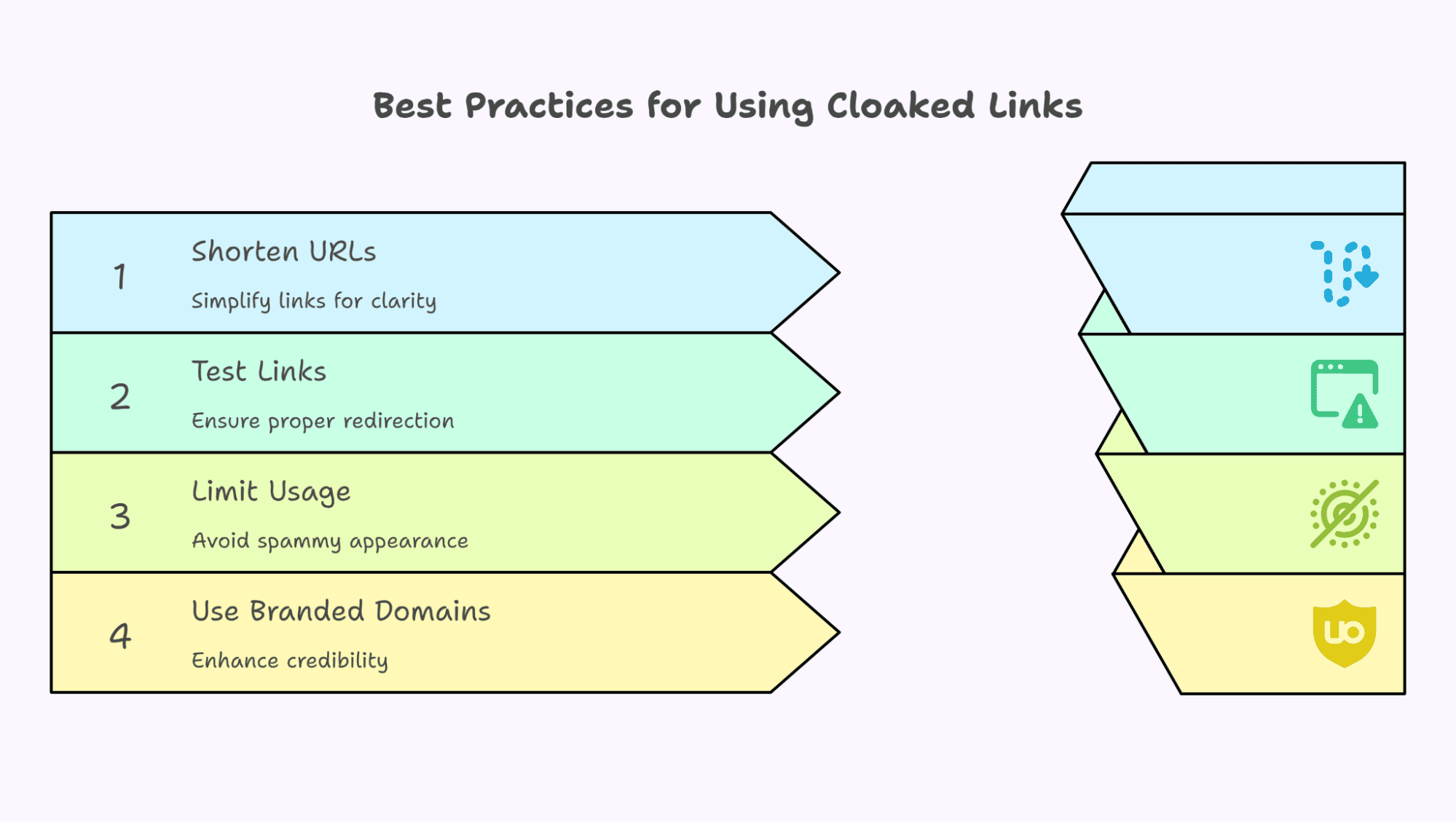
Keep URLs short and meaningful
Use simple slugs that describe the offer or product clearly. Avoid random characters that confuse users or look suspicious online.
Test all links before sharing
Always click your cloaked link before sending it out. Check if the redirect works properly and load the right page.
Avoid overusing cloaked links
Don’t use cloaking on every link in every campaign. Too much cloaking may look spammy and reduce user trust.

Use branded domains when possible
Custom domains build trust and boost your brand credibility. They make links look clean, professional, and easy to remember. Follow these tips to get better results with cloaked links.
Common Mistakes to Avoid
Cloaking is powerful, but misuse can hurt your campaigns. Avoid these common mistakes to keep your links trusted and effective.
Cloaking every single link
Not all links need cloaking. Use it only when it helps. Too much cloaking can confuse users or trigger spam filters.
Using spammy or misleading link names
Never trick users with fake names or misleading URLs. This hurts trust and can get your link flagged or blocked.
Forgetting to test links regularly
A broken link means lost traffic and wasted money. Always test each cloaked link before sharing it with anyone.
Not updating destination URLs when needed
If the target page changes, update your link right away. Old or broken redirects damage the user experience and trust.
Use cloaking smartly and ethically to protect your links and brand. ClickMagick helps, but you must use it the right way.
Conclusion
ClickMagick’s cloaking feature helps protect and optimize your links. It hides long, messy URLs and replaces them with clean, branded links. It builds trust with users and increases CTR easily.
Cloaked links also prevent theft or manipulation by hiding destination URLs. You can track every click and improve performance with detailed analytics.
ClickMagick makes it simple, even for beginners with no tech skills. Just follow best practices and avoid spammy or misleading names.
Test your links often to keep things working without issues. With proper use, cloaking boosts security, conversions, and professionalism.
Get total control over your links with Clickmagick. So, what are you waiting for? Try the cloaking feature of Clickmagick to protect your links from future threats.