
With Kartra, you don’t need coding or tech skills to start. It gives you everything in one place: from design tools to access controls.
You can easily create protected areas, upload lessons, and manage members smoothly. Kartra’s drag-and-drop builder and automation features make the process stress-free.
You can design pages, set membership levels, and track engagement in just a few clicks. This guide walks you through every step: from setup to launch.
You’ll learn how to build, customize, and run your membership site effortlessly. In the end, you’ll have a professional setup ready to share with your audience.

Why Create a Membership Site
Creating a membership site is one of the best ways to grow a consistent income online. It lets you serve your audience while building a long-term community.
With Kartra, you can easily host and manage your entire platform. Here’s why it’s worth your time:
- Recurring Revenue: You earn predictable income through monthly or yearly memberships.
- Loyal Community: Members stay engaged when they feel part of something exclusive.
- Content Control: You decide what to share, when to release it, and with whom.
You can use your site for many purposes, including:
- Hosting online courses with structured lessons and progress tracking.
- Sharing premium articles or expert guides for paying members.
- Offering video tutorials or downloadable resources for specific groups.
A membership site helps you deliver consistent value. Over time, it builds trust, increases engagement, and strengthens your authority in any niche.

Accessing Kartra’s Membership Feature
Building your first membership site in Kartra is simple and quick. You don’t need coding or complex design tools to get started.
Kartra’s setup wizard walks you through everything step-by-step. Here’s how you can kickstart the things:
Step 1: Click “Create New Membership”
Start by logging into your Kartra account and opening the Memberships tab. Click on “Create New Membership” to begin building your site. This option opens a guided setup where you’ll add your core details.
Step 2: Name and Describe Your Membership
Give your membership site a clear and descriptive name. It helps you and your members easily identify the purpose of your site.
Add a short description that explains what your membership offers. Think of it as your site’s elevator pitch for potential subscribers.
Step 3: Choose a Theme or Template
Kartra provides ready-to-use themes and layouts for different content types. Select one that matches your brand and content style.
You can always customize colors, fonts, and structure later. Once you’ve set these basics, your foundation is ready. Next, you’ll organize lessons, upload content, and define access levels.
This setup helps you keep everything structured from the beginning. Kartra ensures every step feels intuitive, even if you’re completely new.

Creating Your First Membership Site
Creating your first membership site in Kartra is easy and beginner-friendly. You don’t need technical skills or coding knowledge to get started.
Just follow a few simple steps to set up everything smoothly. Scroll down to see how you can do it easily:
Click “Create New Membership.”
Go to the “Memberships” tab in your Kartra dashboard. Then click on “Create New Membership” to begin the setup.
Add a Name and Description.
Choose a name that clearly reflects your site’s purpose. Write a short description to explain what your membership includes.
Select a Theme or Template.
Kartra offers clean and customizable templates for different membership styles. Pick one that matches your brand and content type.
Once done, your foundation is ready. You can now upload lessons, add videos, and build your content structure easily. Kartra makes each step simple and well-organized.
Setting Up Membership Levels
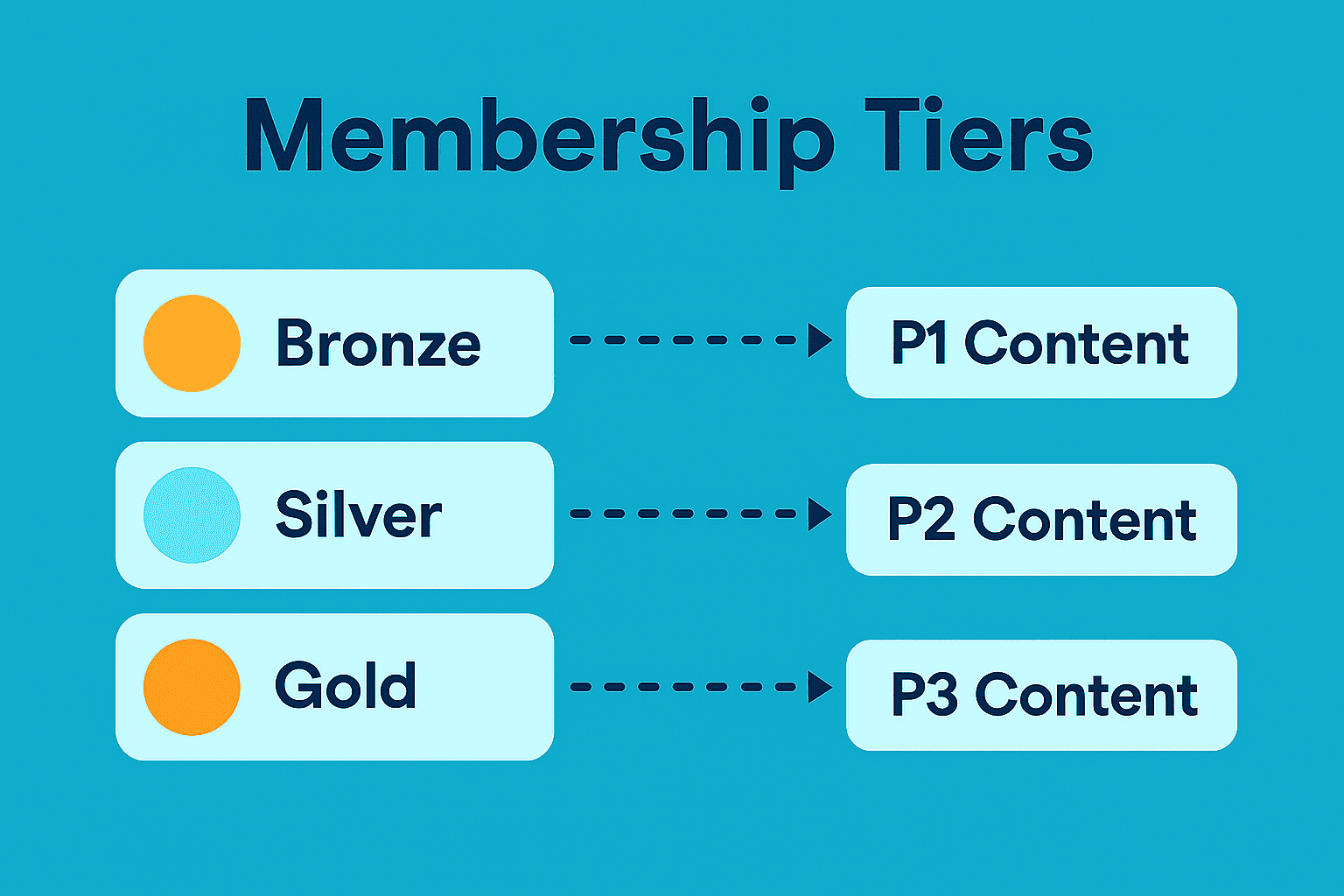
Membership levels define what content members can access on your site. This helps you control visibility for free users, basic members, or premium subscribers. It also lets you structure your offers strategically and maximize value.
Decide on Your Pricing Tiers
Start by deciding how many levels you want to offer. Each tier should provide increasing value to encourage upgrades. For example, “Basic” can include starter lessons, while “Premium” unlocks advanced modules.
Assign Content to Each Level
Next, match your lessons or resources with the right membership tier. You can easily control who sees what from Kartra’s content settings. This ensures premium users access exclusive materials only.
Offer a Free Trial Option
If you want to attract new members, consider a free trial level. It gives potential customers a taste of your content before subscribing.
This builds trust and boosts conversion rates. With clear levels, your membership site feels structured and professional.
Adding Content to Your Membership Site
Your membership site’s value comes from the quality of its content. Kartra lets you upload and organize lessons in multiple formats easily.
Upload Your Learning Materials
You can add videos, PDFs, audio files, or written guides. Just upload each piece through the dashboard and name them clearly.
Organize with Categories or Modules
Group your lessons into structured sections like modules or topics. Example:
- Module 1: Introduction
- Module 2: Core Lessons
- Module 3: Advanced Training
Use Drag-and-Drop Tools
Kartra’s editor makes rearranging lessons simple and visual. You can drag and drop sections anytime. Well-organized content keeps members engaged and learning smoothly.
Managing Members and Access
Once your site is live, managing members becomes an ongoing task. Kartra makes it simple to track users, control access, and view engagement. This helps you maintain order and ensure everyone gets the right experience.

Add or Remove Members
You can manually add new users or remove inactive ones anytime. This keeps your membership clean and relevant. If someone cancels, you can instantly revoke access to paid content.
Change Access Levels
Kartra lets you upgrade or downgrade users with a few clicks. For example, move a free user to premium when they subscribe. Adjusting access ensures members always see what matches their plan.
Track Activity and Engagement
You can view reports on member logins, progress, and activity. Use this data to identify who’s most engaged and who needs reminders.
Tip: Keep your list updated and refresh content often for retention.

Integrating Payment Options
To monetize your membership site, connect it with trusted payment gateways. Kartra supports popular processors and makes setup smooth for recurring or one-time payments.
Choose Subscription Plans
Offer flexible payment options like monthly or yearly billing. This helps users pick what suits their budget and boosts conversions.
Automate Billing and Reminders
Set up automated renewals and friendly reminders for upcoming payments. Automation saves time and prevents access issues for active members.
Offer Lifetime Access
You can also provide a one-time payment plan for lifetime access. It’s great for customers who prefer a single, upfront investment.
Integrated payments keep everything seamless, professional, and hands-free.
Using Kartra Automations for Memberships
Automation helps you save time while creating a smoother member experience. With Kartra, you can handle welcome messages, updates, and content delivery automatically. This ensures consistent engagement without needing to manage every task manually.
Send Welcome Emails Automatically
Set up an automation to send a friendly welcome email instantly. It can include login details, course instructions, or community links. A warm greeting helps members feel supported and valued from day one.